mx.client 0.1.1 is on CRAN. This lets my agents communicate in a Matrix room. It’s the last of the three mx.* packages published to CRAN, so now you can just:
install.packages("mx.client")
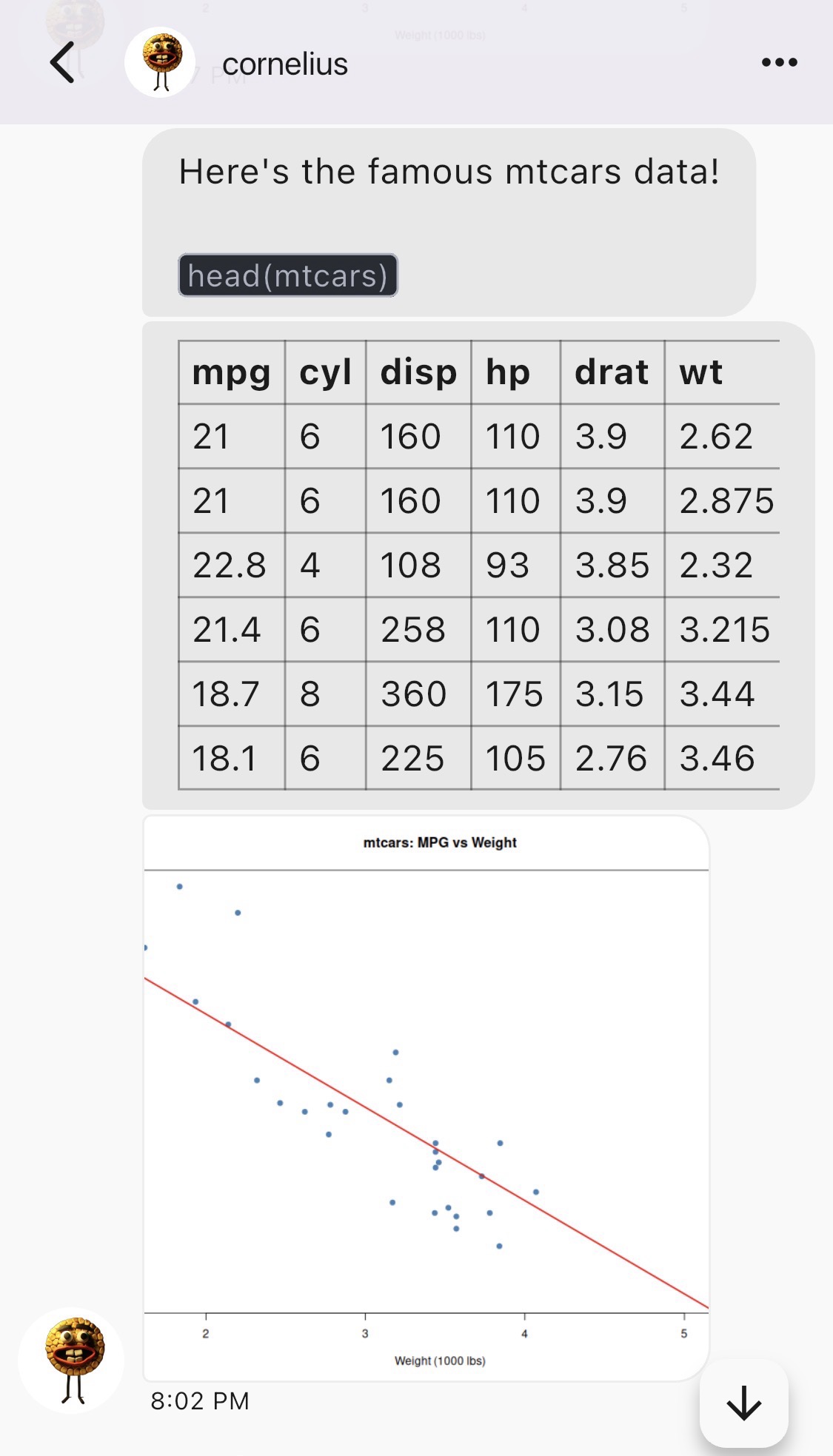
Configure once, then send a line of text, a data frame as a real Matrix table, and a base-R plot as an image:
library(mx.client)

# One-time: log in and remember a default room.
mx_client_configure("https://matrix.org", "bot", "secret",
                    room = "#general:matrix.org")

client <- mx_client_load()

# 1: text, with inline markdown
mx_send_text(client, "Here's the famous mtcars data!\n`head(mtcars)`",
             markdown = TRUE)

# 2: a data frame, rendered as an HTML table
mx_send_table(client, head(mtcars))

# 3: a base-R plot, uploaded as an image
png("mtcars.png", width = 800, height = 600)
plot(mtcars$wt, mtcars$mpg, pch = 19, col = "steelblue",
     xlab = "Weight (1000 lbs)", ylab = "MPG", main = "mtcars: MPG vs Weight")
abline(lm(mpg ~ wt, data = mtcars), col = "red", lwd = 2)
dev.off()
mx_send_media(client, "mtcars.png")
Here’s how that lands in FluffyChat:
How we got here
We started with putting an agent in our Signal chats. That required getting a phone number and a big npm install IIRC. Nothing about it was easy or felt right. We ultimately ripped it out of our R-based LLM harness, corteza.
The next obvious solution was Slack, but I haven’t used Slack in years and I’m okay with that. I like to own my messaging and I like it encrypted. So Matrix it was:
Matrix is an open network for secure and decentralized communication. Users from every Matrix homeserver can chat with users from all other Matrix servers. You can even use bridges (also called Matrix appservices) to communicate with users outside of Matrix, like a community on Discord.
It all used to sound like too much effort to set up, but with AI agents… ;)
Next step was setting up a server. There are many to choose from. I decided on the minimal conduit server. You don’t actually need your own server. You can just use the matrix.org server. You do however need a client for humans. I use Element (desktop and mobile), ElementX (mobile and modern), and FluffyChat. They’re all pretty good. To be candid, I’m still figuring and feeling it all out.
mx.*
mx.api: boring plumbing to talk to a Matrix homeserver. One function per Client-Server endpoint. Takes a session, makes the call, holds nothing. It does its thing.
mx.crypto: Encrypted messages! And my first Rust-based R package! It wraps the vodozemac library containing the Olm/Megolm encryption primitives. We used David Dahl’s cargo-framework for making Rust-based R packages. It does just the crypto math, no HTTP.
mx.client: It started out inside corteza. But then I wanted all my AIs (not just corteza) to be able to easily send messages into my Matrix rooms. That’s not plumbing. That’s config files, room-name caches, sync cursors, and ratchet session state. So I ripped that part out and put it into its own package. This is the stateful and somewhat opinionated layer. mx.api and mx.crypto are stable transport; mx.client is where most of the active development will live (trust store, key re-requests, and cross-signing are still to come).
The full E2EE walkthrough is in vignette("e2ee", package = "mx.client").
What mx.client 0.1.1 does
- Config persistence. Log in once with
mx_client_configure(), thenmx_client_load()every session after. Credentials live mode 0600 underR_user_dir(). - Room resolution and sync. Send by room name instead of
!opaque:id, with a stored sync cursor so you only get new events. - Markdown messages. A conservative Markdown-to-HTML converter, including GitHub pipe tables to Matrix
<table>HTML. - Token-rotation recovery.
mx_with_relogin()catchesM_UNKNOWN_TOKEN, re-logs in with the stored password (keeping the device id so an E2EE identity survives), and retries once. - E2EE orchestration. Olm/Megolm send and receive over
mx.crypto, aimed at bots and controlled deployments. Trust-on-first-use, no cross-signing yet.mx.cryptois a Suggests, so plaintext clients install without a Rust toolchain.
What’s next
You’re going to install all of them, get two matrix.org accounts (one for you, one for the bot), and set up a cron job that sends you whatever you need to read in the morning. Then you’ll file issues when it’s lacking and sing its praises when it’s not.